

In video production, the difference between amateur and cinematic videos often comes down to one key element: camera movement. The way a camera moves can change the way a story is told and how the audience feels. Camera work and motion should be done with emotion, intention, and flow. Smooth movements can elevate a simple scene into something cinematic, immersive, and memorable. That’s where gimbals come in.
Gimbals allow us to bring a level of fluidity to our work that traditional handheld setups can’t replicate. They help us create dynamic, seamless shots that glide with precision. With a gimbal, every movement feels natural, every frame feels cinematic, and the audience stays focused on the story. But the magic doesn’t come from the gear alone. It comes from knowing how to move it. It’s a skill, art, and a constant process of learning, testing, and refining.
But the question arises, is gimbal a necessary tool or not? To find out the answer, read our blog below to dive into the world of gimbals.
Table of Contents
What are Gimbals?
A gimbal is a motorized stabilizing device designed to eliminate unwanted movement in your shots. It uses intelligent sensors and brushless motors to maintain steady camera orientation, even when the operator moves. Whether you’re walking, running, or capturing shots in a moving vehicle, a gimbal ensures your footage remains smooth and shake-free.
This technology has redefined how videographers approach movement, offering cinema-grade results without bulky rigs or cranes.
Why do Gimbals Matter in Video Production?
1. Stability
Shaky footage distracts and disorients the viewers. To solve this, gimbals provide unparalleled stability, eliminating shaky footage and ensuring your shots are smooth and professional.
Smooth and stable shots hold significant importance in corporate videos, where clarity and professionalism are key.
Example:
In a corporate video shoot at Camp North End in Charlotte, the production team from TwoDoor FX used a gimbal to keep the footage smooth and steady, even while moving quickly. The camera was mounted on a Crane 3S gimbal, and the operator rode a Segway to capture wide, sweeping shots across the large location.
Their behind-the-scenes video clearly shows the gimbal setup in action, giving a real look at how professional and cinematic shots are made possible.
2. Versatility Across Shooting Environments
From high-speed action sequences to tranquil nature shots, gimbals thrive in any environment. They adapt to various filming conditions, giving you the creative freedom to use them, anywhere and anyhow.
Example:
In a behind‑the‑scenes post by Atlanta Business Video, the team used a Zhiyun Crane 2 gimbal inside the facility of Cobb Industrial Inc. They move through narrow spaces to capture sleek and smooth shots that make the facility look modern and professional. Here is the link to their video on YouTube.
3. Ease of Use for All Skill Levels
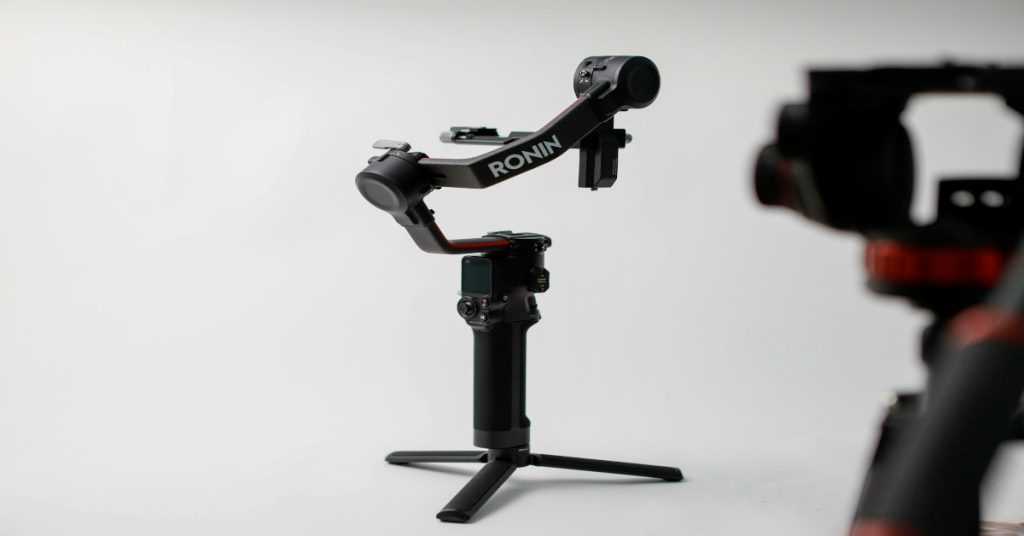
Modern gimbals are user-friendly, with intuitive controls that make it easy for both beginners & pros to capture stunning footage. Gimbals like the DJI Ronin-S, Zhiyun Crane 3, and Moza AirCross have preset modes for seasoned cinematographers.
With gimbals like these, beginner creators can achieve fluid and polished footage with minimal training
Tip: Look for gimbals with auto-calibration, object tracking, and custom follow modes to simplify the shooting process.
4. Unlocking Enhanced Creativity
With multiple features, gimbals allow you to experiment with unique angles & movements. You can craft visually compelling shots that would be nearly impossible with traditional gear, adding a cinematic touch to your videos.
Gimbals come with various features, some of them are:
- 360-degree barrel roll (Inception Mode)
- Pan Follow
- POV (Point-of-View) Mode
- Time-lapse and Hyperlapse features
Use these features to your fullest possibility to become more familiar and skilled in utilizing them.
5. Professional Quality
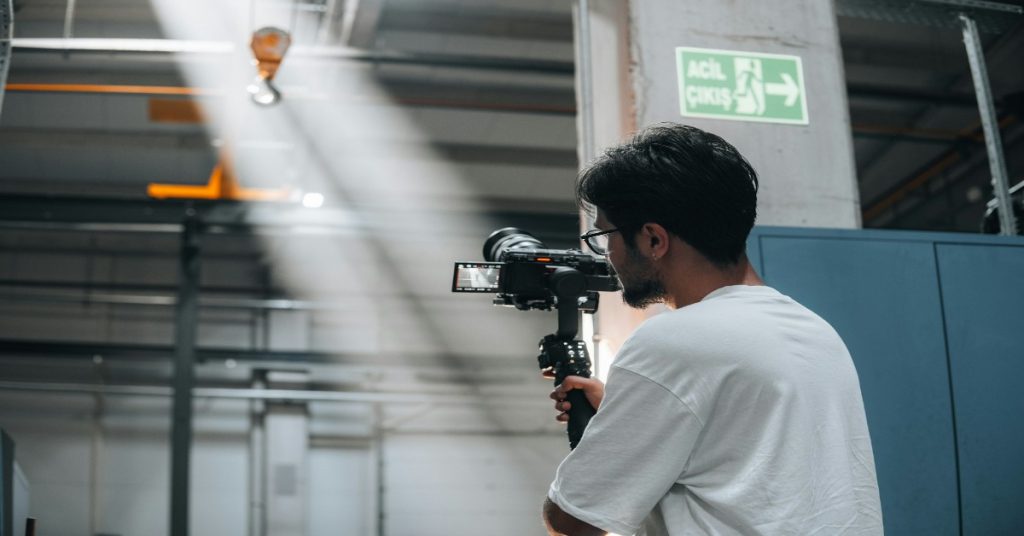
Using a gimbal can significantly improve the production value of your videos. It adds a layer of professionalism to your content. They work for shooting any kind of video, be it brand commercials, corporate training videos, real estate walkthroughs or product demonstrations.
Gimbals are used extensively for recording corporate videos. According to a study by Wyzowl, 84% of people say they’ve been convinced to buy a product or service by watching a brand’s video. Using gimbals ensures those videos are made with perfection.
Choosing the Right Gimbal for Your Project
When selecting a gimbal, you should consider the following parameters in mind:
- Camera weight compatibility – With which kind of devices, the gimbal is compatible with, especially in terms of weight.
- Battery life – Shoots can be long; also hot and humid depending on the weather conditions of the location in case of outdoor shoots, of course. In such cases, try to look for better battery life.
- Payload and accessories – Make sure your camera, lens, battery or any mic/light accessories stay within the weight limit. Overloading a gimbal causes poor performance.
- Portability – If you travel or shoot in remote locations, lighter and compact rigs will be helpful.
- After‑sales / parts availability: Choose models sold through authorised dealers or stores with warranty help and good customer support.
We have summarized few gimbal models in the table below, for easy comparison.
| Use Case / Buyer Type | Gimbal Model | Approx Price* | Why This is a Good Pick for India / What to Check |
| Entry-level / Small Mirrorless or DSLR Shots | DJI Ronin‑SC | ~ ₹20,000‑25,000 | Lightweight, supports small mirrorless cameras; good for walking shots, promos; avoid heavier lenses. |
| Mid‑range / Heavy Lens Work / All‑rounder | Zhiyun WEEBILL‑2 | ~ ₹36,000‑42,000 | Strong payload (~3.3 kg); onboard screen; good for interviews and facility walkthroughs. |
| Compact + Travel Friendly | Zhiyun WEEBILL‑S | ~ ₹21,000‑22,500 | More compact design, underslung mode; good for smaller gear setups. |
| Feature‑rich Combo / Built‑in Extras | Zhiyun WEEBILL‑3 | ~ ₹37,000‑45,000 | Built‑in mic and fill light in some versions; better battery life; more versatile for setup with minimal accessories. |
| High Payload / Pro Setup | DJI RS 4 | ~ ₹39,000‑₹45,000+ (depending on discount / bundle) | Can handle heavier rig setups; for pro / commercial cinematic work; more expensive, more complex to carry. |
Here are some highlights:
- DJI RS 4 (Pro‑Payload): Great choice if you are doing heavier setups and need strong stabilization for cinematic moves.
- Zhiyun WEEBILL‑3S Combo: Newer Sling Mode, useful as a combo with carry accessories. It is decent option for mid‑level corporate shoots.
- DJI Ronin‑SC (Light Mirrorless): Lightweight, good for mirrorless cameras; excellent starter with travel use.
- Digitek DSG‑007F Budget Gimbal: Basic budget option; better for smartphone or light mirrorless work. But it is not for heavy or professional cinema‑style shooting.
Conclusion: Why Gimbals are Important in Modern Filmmaking?
Gimbals allow us to add a level of professionalism that brings every frame to life. They help create visuals that feel effortless but leave a lasting impact.
If you’re serious about creating visually stunning, emotionally engaging, and professionally polished videos, then investing in a quality gimbal is non-negotiable. Whether you’re a brand looking to elevate your corporate content or a filmmaker chasing the perfect shot, gimbals are the key to smooth and cinematic storytelling.
Read More
Tools for Remote Video Production to Collaborate in 2025

Is Rise in AI Adoption a Threat to Traditional Video Production?

Which VFX Software to Use for Corporate Video Production?
Frequently Asked Questions (FAQs) related to Gimbals
Q1- What do people use gimbals for?
Gimbals are used to stabilize video footage, allowing for smooth, cinematic shots even when the camera operator is moving. Gimbals help eliminate unwanted shake and jitter. They are especially popular in filmmaking, commercial shoots, real estate walkthroughs, event videography or where fluid motion adds to the visual storytelling.
Q2- How do gimbals work?
Gimbals use motors and sensors to counteract unwanted camera movements in real time. Most modern gimbals are 3-axis, meaning they stabilize across three axes: tilt (up/down), pan (left/right), and roll (sideways tilt). When you move, the gimbal adjusts its orientation to keep the camera level and stable, allowing for smooth shots even while walking, running, or following a moving subject.
Q3- Is a gimbal really useful?
Yes, a gimbal can be incredibly useful, especially if you want to create high-quality, professional-looking videos. Unlike handheld shooting or even some basic tripods, gimbals allow you to move with your subject while maintaining stability. They are ideal for capturing dynamic motion, tracking shots, and smooth camera pans, making them a must-have tool for filmmakers, content creators, and video production companies.
Q4- What are the disadvantages of a gimbal?
While gimbals offer excellent benefits, they do have a few drawbacks:
- Cost: Good-quality gimbals can be expensive.
- Weight: Some gimbals (especially with heavy cameras) can be tiring to use over long shoots.
- Setup time: Balancing your camera correctly can take time and practice.
- Battery dependence: Most gimbals require charging and can fail without power.
- Learning curve: New users may need time to master movements and avoid robotic-looking shots.
That said, these are minor issues compared to the visual quality a gimbal can deliver, once properly used.
Q5- Which is better, a gimbal or a tripod?
Both tools serve different purposes, and the better choice depends on your shooting needs:
- Tripod: Best for static shots like interviews, product demos, or time-lapses. It offers stability without movement.
- Gimbal: Best for dynamic shots where the camera needs to move smoothly like walkthroughs, tracking shots, and handheld-style cinematic filming.
For most video professionals, using both a tripod and a gimbal in combination allows for the greatest flexibility during production.